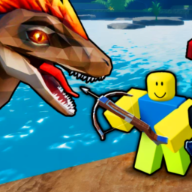
Can I redeem Dino Hunters codes on mobile?
Yes — tap the Discord icon after joining Dinosaur Hunter. Paste from the codes table with long-press.

How to redeem Dino Hunters codes on Roblox: open the Discord icon, paste Beta or DHcredits, claim Credits. PC, mobile, tablet steps plus troubleshooting tips.
Discord menu steps on PC and mobile — paste Beta or DHcredits for Credits.
Sponsored
Dino Hunters (official Roblox title Dinosaur Hunter by HALFBYTE) uses an in-game Discord icon menu for promo strings — not the Roblox website promocodes page. This page walks through how to redeem dino hunters codes on PC, mobile, and tablet so you can claim reported Credits rewards without wasting time on expired strings.
Community lists mention Beta and DHcredits as possible Dino Hunters Roblox codes, but Claim success varies by patch. Always copy from the live codes table, paste exactly, and verify the reward popup before sharing the string elsewhere. Last checked July 21, 2026.
| Reported code | Reward | Status (July 2026) |
|---|---|---|
| Beta | 30 Credits (reported) | Unverified — test in-game |
| DHcredits | 40 Credits (reported) | Unverified — test in-game |
Promo strings in Dino Hunters are case-sensitive and tied to HALFBYTE patch windows. A code that worked in beta may fail silently after March 2026 balance passes — that is normal for older Roblox PvP titles.
Open Dinosaur Hunter Place ID 1080780951 from the official game link — fan wikis and copycat experiences use similar names but different redeem menus.
Wait until you fully load into a lobby. Redeem UI appears after spawn, not on the Roblox game details page.
Reported dino hunters roblox code rewards are Credits — the soft currency for dinosaurs and weapons. They do not unlock Robux skins, game passes, or cross-game items.
If Claim succeeds, spend Credits on one meta pick from best dinosaur to buy before cosmetic skins.
Every verified Dino Hunters code uses the same five-step flow HALFBYTE has used since the 2017 beta Twitter code era. Follow in order — skipping a server join is the most common failure.

1. Launch Dinosaur Hunter on Roblox and join a server.
2. Find the Discord icon near the top of the screen.
3. Click it to open the code redemption menu.
4. Paste the code exactly (case-sensitive) and confirm.
5. Credits apply immediately if the code is still active.
Credits apply immediately when the code is still active — no mail inbox or second confirm screen.
Open the dinosaur or weapon shop to confirm balance moved. If nothing changed, the string likely expired; check updates and the codes page active table.
The Discord icon placement is identical across Roblox clients — only input method changes.
| Platform | Open menu | Paste tip |
|---|---|---|
| PC / Mac | Click Discord icon near top of HUD | Ctrl+V after copying from wiki |
| Mobile | Tap Discord icon — same HUD slot | Long-press text field → Paste |
| Tablet | Same as mobile | Use external keyboard if available |
If the menu does not open, toggle Roblox shift-lock off and click the icon again. Full-screen overlays from Discord or streaming apps can block the top HUD — minimize them first.
On phones, the icon sits near other lobby buttons — zoom UI if your device scales Roblox aggressively. Rejoin the server once if the menu never appears after a cold launch.
Most how to redeem dino hunters codes tickets are typos, expired strings, or wrong game — not account bans.
| Symptom | Likely cause | Fix |
|---|---|---|
| Invalid code | Expired string or wrong capitalization | Copy from codes list — paste, do not retype |
| Menu missing | Lobby not loaded or outdated client | Rejoin server; update Roblox app |
| No Credits added | Code never active on live servers | Check updates; try other reported string |
| Wrong game opened | Similar title in search results | Verify Place ID 1080780951 on game link |
Dino Hunters drops promo strings through developer channels — not this fan wiki. Bookmark sources and return to the codes hub after each patch.
Join the HALFBYTE Roblox group and follow @VRYLLION for update posts — historical codes like Beta first appeared through social announcements.
The in-game Discord icon also links community news; verify any string there against our active table before sharing.
We list reported Dino Hunters Roblox codes with last-verified dates. When Claim fails community-wide, strings move to the expired table on the codes page.
New players should read the beginner guide first — Credits from codes matter most before your first dinosaur purchase.
Codes often ship alongside balance passes that also change dinosaur tier list rankings. Redeem immediately when a string goes live, then re-read spend guides so Credits land on still-meta picks.
If both Beta and DHcredits fail on the same day, assume a silent expiry rather than an account issue — wait for HALFBYTE to post a replacement on the Roblox group wall.
Successful dino hunters roblox code claims add Credits instantly, but the menu does not suggest purchases. Plan spend before opening the shop so impulse skins do not drain your first bonus.
| Priority | Spend on | Why |
|---|---|---|
| 1 | Velociraptor or Rifle | Versatile Hunt picks — best dinosaur |
| 2 | Second meta pick | Match your preferred team from beginner guide |
| 3 | Cosmetic skins | After one dinosaur and one gun upgrade |
Yes — tap the Discord icon after joining Dinosaur Hunter. Paste from the codes table with long-press.
No — avatar promocodes on roblox.com do not grant in-game Credits. Use the in-game Discord menu only.
Reported rewards are Credits only. Game passes (sprint boost, starter pack) are separate Robux purchases on the experience page.
Beta was a launch-era string. HALFBYTE may rotate codes after patches — re-check the active table after each update.
Yes — redeem in the lobby before queueing Hunt, Survival, or Dino War. Credits persist across teams.
See how to get credits for earn rates and best dinosaur to buy for first spend.
Matched by build plan, shared topics, and guide progression — not random related links.